Cylance · Phase 2 of 2 — Consumer
The enterprise console and Optics EDR work — confidence scoring, disposition controls, the Confidence Design System — is in Phase 1. Home Edition was the parallel bet: same ML engine, completely different design contract. Shared infrastructure is documented in One Source, Every Surface.
Context
Cylance was built as an enterprise company. The core product — CylancePROTECT — was deployed by IT administrators across corporate fleets, configured through policy management consoles, and evaluated by security operations teams who understood kill chain visualizations and model confidence scores. The enterprise console case study covers that product surface; this study covers taking the same engine to households.
The idea to take that technology to the consumer market came from the design team. The pitch was simple and strategically credible: the ML model that protected Fortune 500 endpoints could protect a family’s home devices. No signature updates. No performance degradation. Prevention instead of reaction — against the McAfees and Nortons that had sold the same signature-scanning model for decades.
I helped shape that pitch to the founders — the CEO and CTO — and then down to VP of Engineering and Engineering Directors. With approval to proceed, what followed wasn’t just a design project. It was standing up a business.
Building the Business Unit
Home Edition didn’t have an org behind it. Before the product could ship, we needed a VP to own the business unit, an architect, engineering resources (sourced partly from the core enterprise team), marketing, and sales. Hiring, scoping, and coordinating that build happened in parallel with the product design work — roughly nine to twelve months from first pitch to ship.
The dependency on the core engineering team was the critical constraint. Cylance ran a mono-architecture. There was no separate consumer infrastructure to build against. Home Edition required new API endpoints, new provisioning logic, new billing integration, and a distinct UI layer — all on top of a system designed for enterprise fleet management, not self-service consumer sign-up.
Insight
The enterprise product assumed an IT admin at every step — policy configuration, device provisioning, license management. None of those assumptions held for a home user. The product needed a different surface, not a simplified version of the same one.
Hypothesis
If we designed the consumer UX to pitch first — before negotiating engineering scope — we'd have a concrete artifact to align on rather than an abstract requirements doc. The design would define what needed to be built.
Decision
Led with consumer UX design to secure internal approval, then used those designs as the negotiation surface with engineering to determine what was achievable on the existing architecture within the timeline.
Project Jarvis: The Mobile Concept
Early in the process, the design team explored a more ambitious direction internally codenamed Jarvis — a mobile-first, family-circle concept inspired by platforms like Circles by Disney. The idea was a social layer: a shared security view across family members’ devices, accessible from a mobile app, with a circle metaphor organizing the household’s protection.
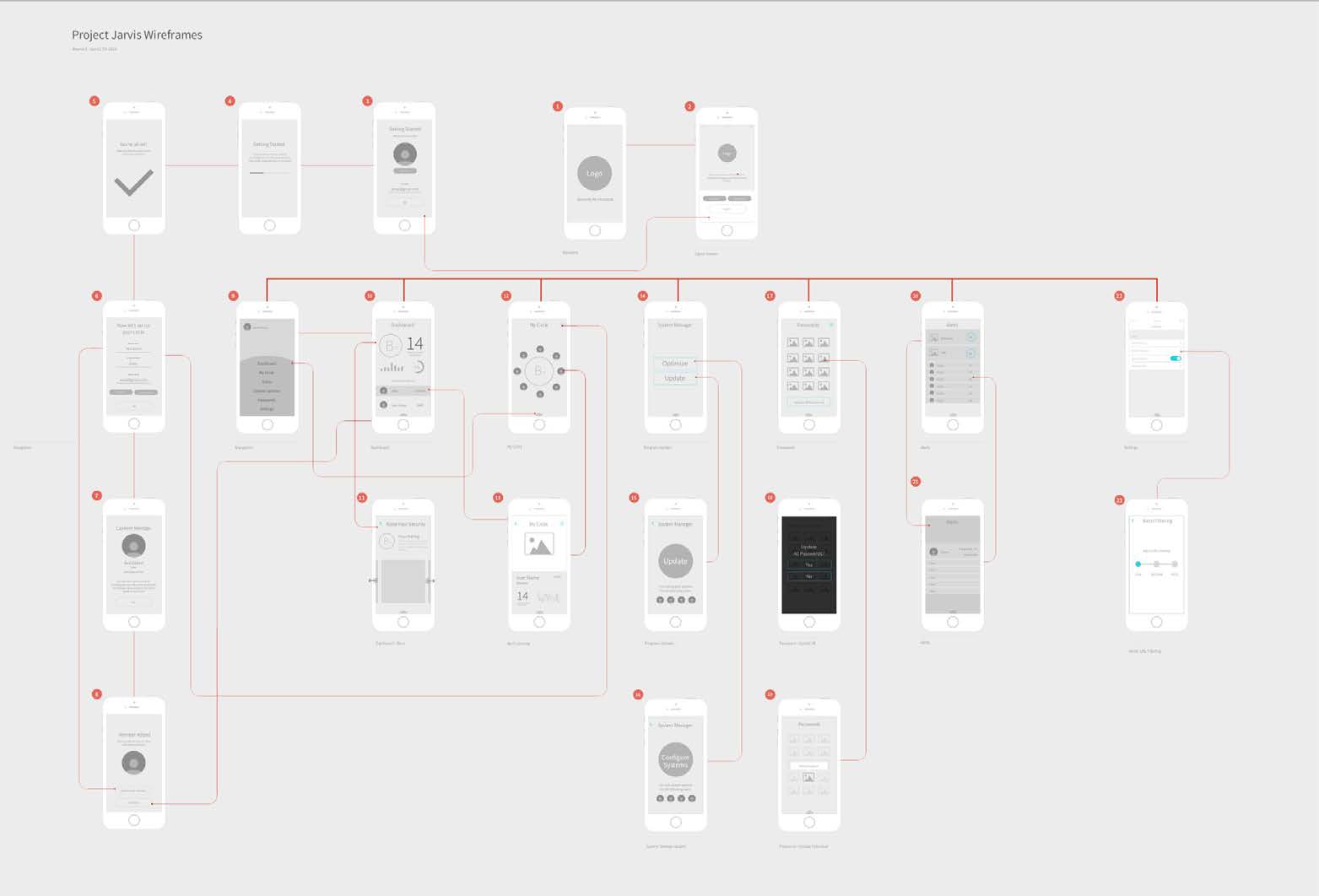
The Jarvis wireframes mapped a complete mobile experience: onboarding, a household dashboard, individual device management, password management, alerts, and settings. It was a forward-looking concept — a vision for what a consumer security product could become if built from scratch. What shipped was more grounded. The architectural realities of building on the enterprise mono-architecture, the timeline, and the core value proposition — ML prevention, not social features — focused the product on what it needed to be at v1.
The Consumer UX Translation Problem
The enterprise CylancePROTECT console was built for IT professionals. Script control, memory protection, device peripheral configuration, USB policy — these were the controls that made enterprise customers confident and comfortable. For a home user, they were noise at best, anxiety-inducing at worst.
The translation work had two layers. The first was feature scoping: which enterprise capabilities translated to consumer value, and which needed to be hidden entirely. Advanced policy controls (script control, memory access blocking) were removed from the consumer surface. Device management was simplified from fleet-level administration to a personal device list. The threat response model moved from operator-controlled allow/quarantine decisions to automatic protection with a legible status.
The second layer was the visual and interaction model. The enterprise console operated in a security-professional mental model: technical identifiers, alert queues, bulk actions across hundreds of devices. The consumer portal needed to answer a different question: is my family safe right now?
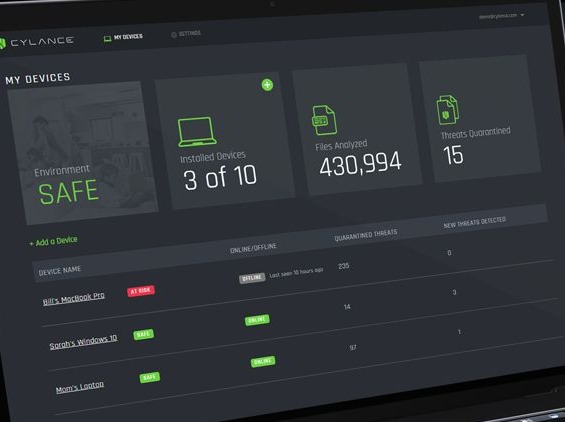
The portal’s primary surface answered that question directly: a single “Environment SAFE” status, aggregate file analysis count, quarantined threat count, and a per-device row showing each family member’s machine. The same underlying data that fed the enterprise console’s threat queue — SHA256 hashes, execution event logs, kill chain data — surfaced here as a single status badge per device: SAFE or AT RISK.
Self-Service Acquisition and Onboarding
One of the largest gaps between the enterprise product and Home Edition wasn’t the interface — it was the acquisition path. Enterprise customers were provisioned through a sales process: account setup, license allocation, IT-administered deployment. None of that existed for consumer. Home Edition needed to invent the full self-service path from scratch.
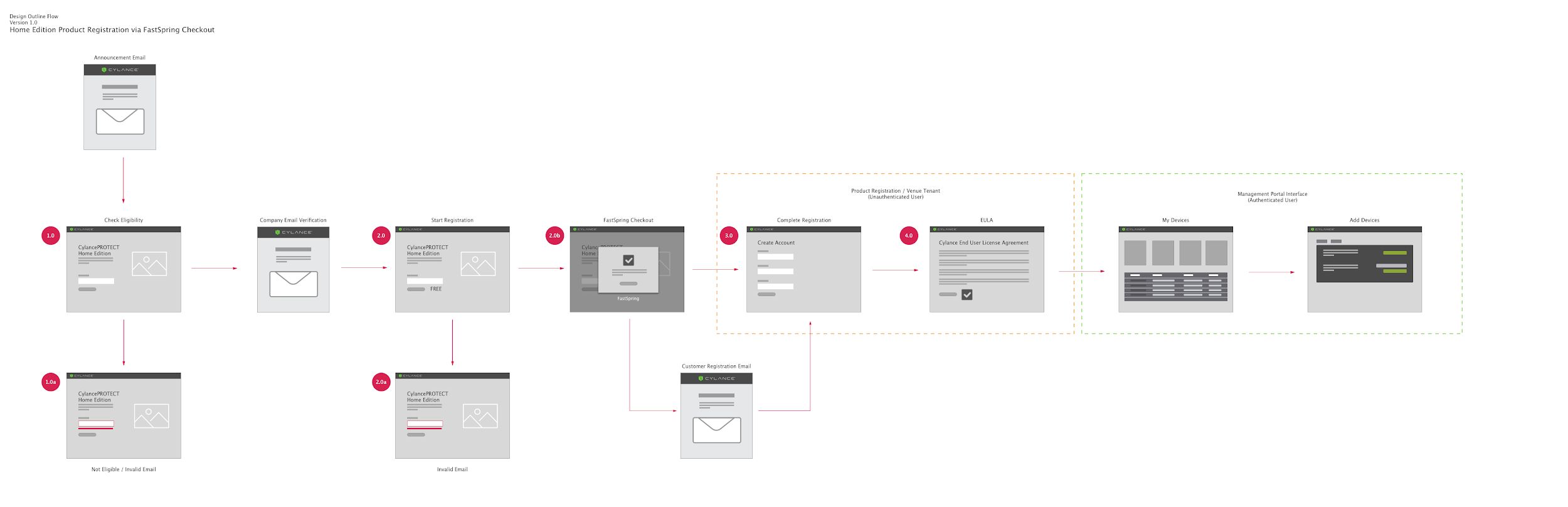
The registration flow we designed covered the full acquisition arc: eligibility check, email verification, payment processing via FastSpring, account creation, EULA acceptance, and first device provisioning. Error states — ineligible users, invalid email addresses — were designed at every branch. The onboarding path was designed to get a home user from purchase to protected in a single session, without a support call.
This required new backend provisioning endpoints, a consumer-scoped tenant model, and payment integration — all work that had to be negotiated with core engineering because it lived in the enterprise system’s infrastructure.
Cross-Platform Desktop Experience
The protection itself lived in the desktop agent — CylancePROTECT — running on each protected machine. The consumer version of the agent was designed for both macOS and Windows, with platform-appropriate visual treatment: the dark, focused aesthetic of the enterprise agent adapted to each OS’s native conventions.
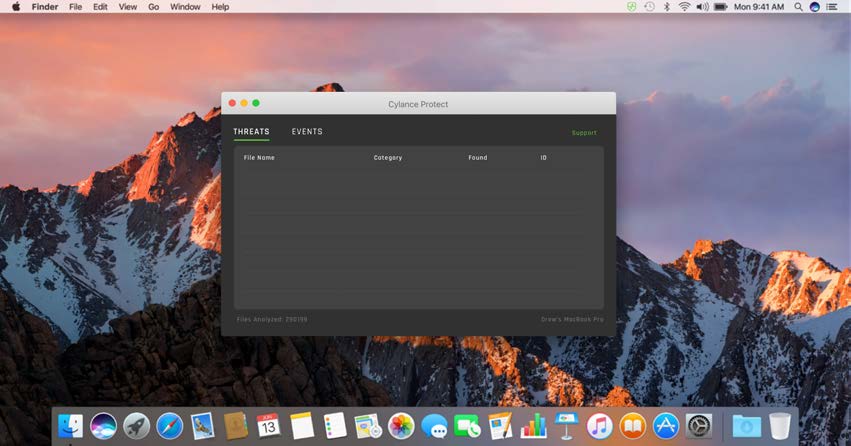
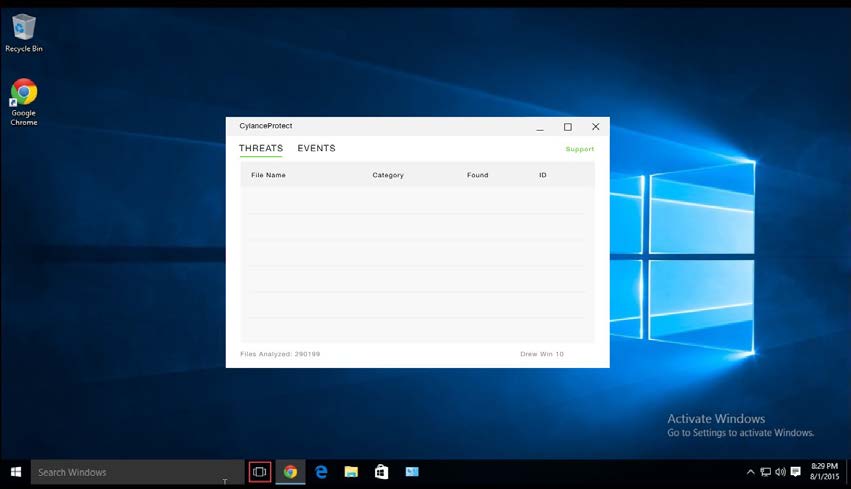
The agent surface was intentionally minimal. The value proposition of ML prevention is that it’s silent — threats are blocked before execution, without user intervention. The agent existed to confirm protection was active and surface the rare case where a user needed to see what had been caught.
Threat Visibility Without Technical Depth
When the portal did surface a threat, the design challenge was communicating enough detail to feel credible and actionable — without exposing the SHA256 hashes and classification taxonomy that a security operator would use to investigate.
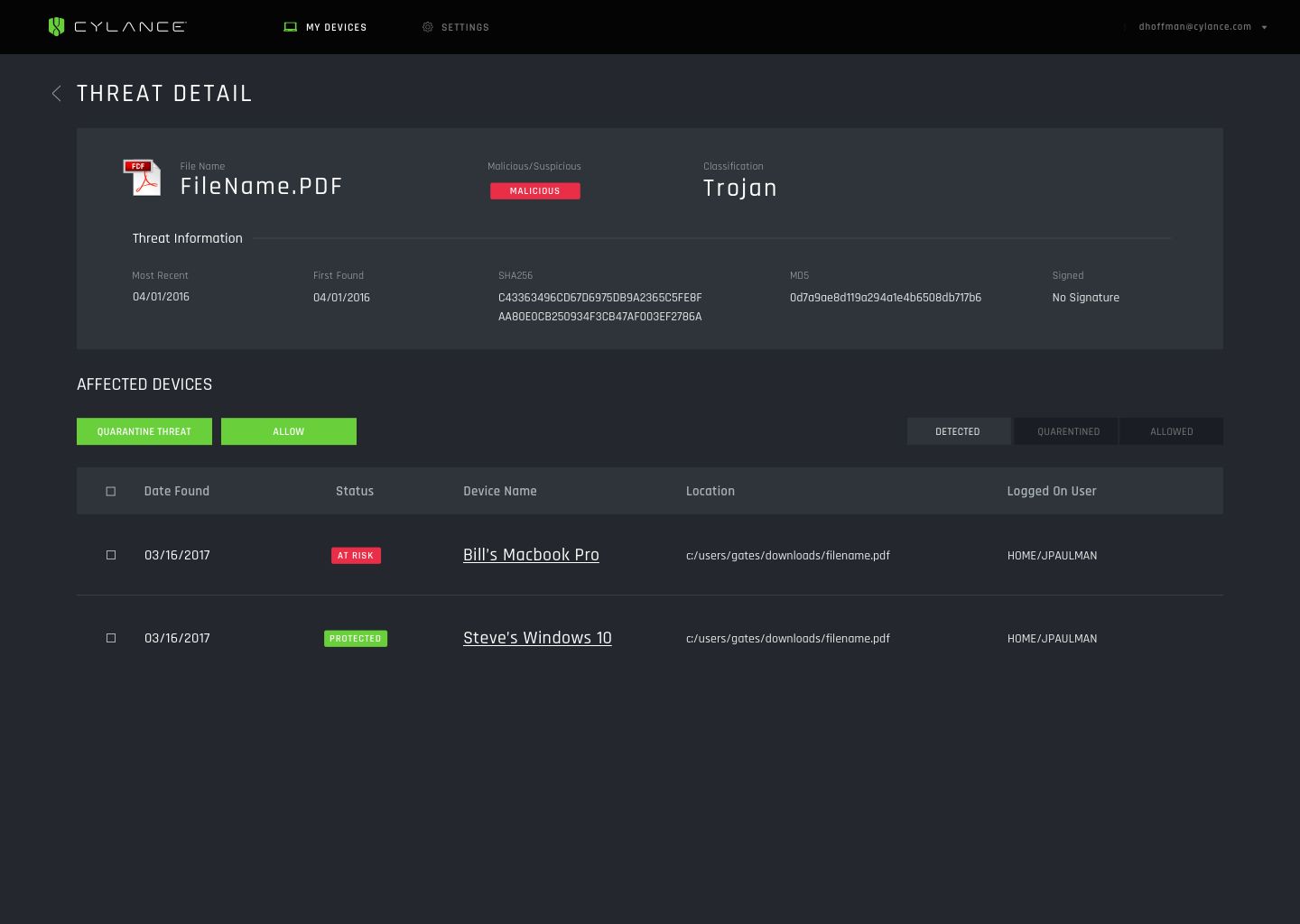
The threat detail view retained the technical metadata — classification, SHA256, detection dates — but organized the surface around what the home user needed to act on: which devices were affected, what the file was classified as, and two clear choices: quarantine or allow. The per-device status (AT RISK / PROTECTED) translated the protection state into something meaningful without requiring knowledge of what Malicious/Trojan meant in technical terms.
Outcome
CylancePROTECT Home Edition shipped across web portal, macOS, and Windows — a self-service consumer endpoint protection product built on an enterprise foundation that wasn’t designed for it.
The consumer business unit was established with dedicated leadership, engineering, marketing, and sales — a greenfield org that didn’t exist before the pitch. Revenue was meaningful but not the primary metric: Home Edition’s strategic value was in demonstrating that Cylance’s ML model could extend beyond enterprise, broadening the company’s addressable market and product lineup ahead of the BlackBerry acquisition.
The acquisition — announced in 2018 at $1.4B — cited Cylance’s technology and product portfolio. Home Edition was part of that portfolio: evidence that the prevention model could scale from the Fortune 500 SOC down to a parent protecting their family’s devices.